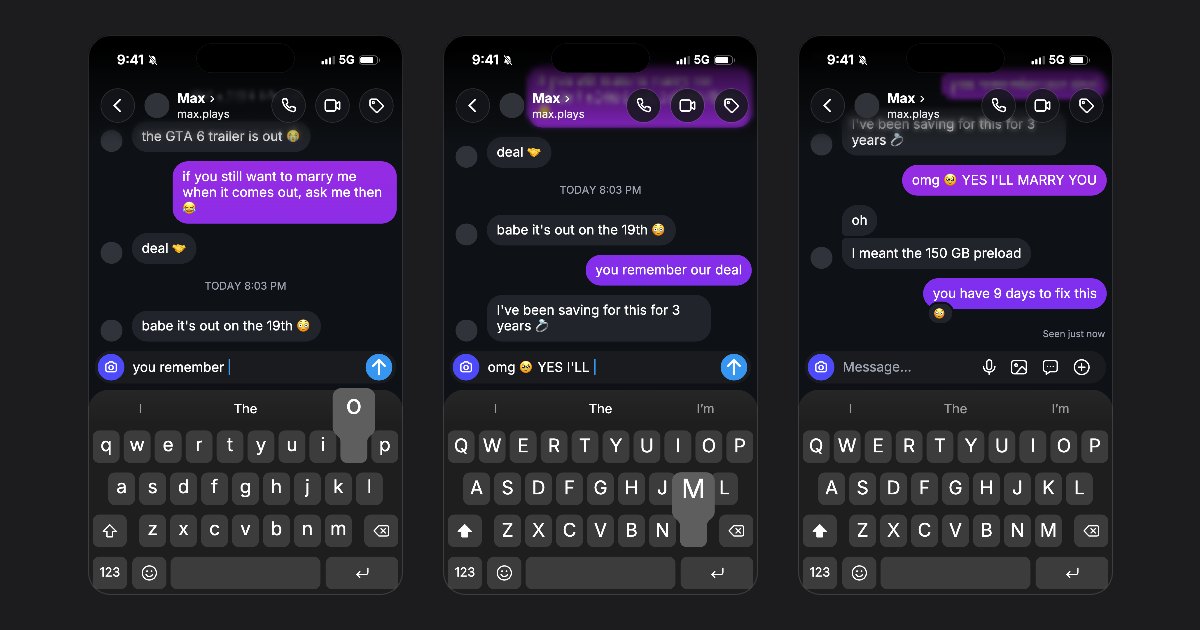
Until now, your messages came into the chat already written. As of today, a video can show the iPhone keyboard at the bottom of the screen, with each of your texts typed on it, key by key, before you send it. It works in all six apps: Instagram, WhatsApp, TikTok, iMessage, SMS and Snapchat.
Typed by a thumb, not a robot
- A human pace. About seven characters a second, a little slower before a new word or after a comma, a little faster in a long text. The same text is always typed the same way.
- Every key shows. The key under the thumb pops up in its bubble, Shift lights up before a capital, and the keyboard switches to 123 for a question mark or a number.
- The field fills up. What you type shows in the message field with its blinking cursor, and the bar above the keys suggests the word you are typing.
- A sound for each key. The video clicks with every key, and the space bar sounds a little deeper.
The keyboard of your language
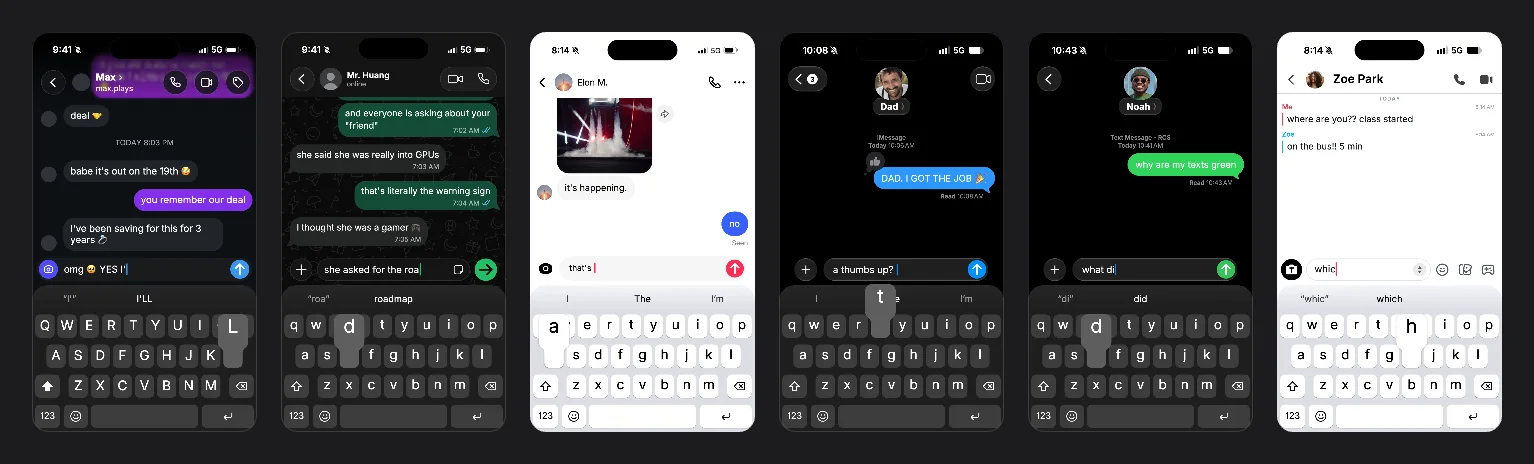
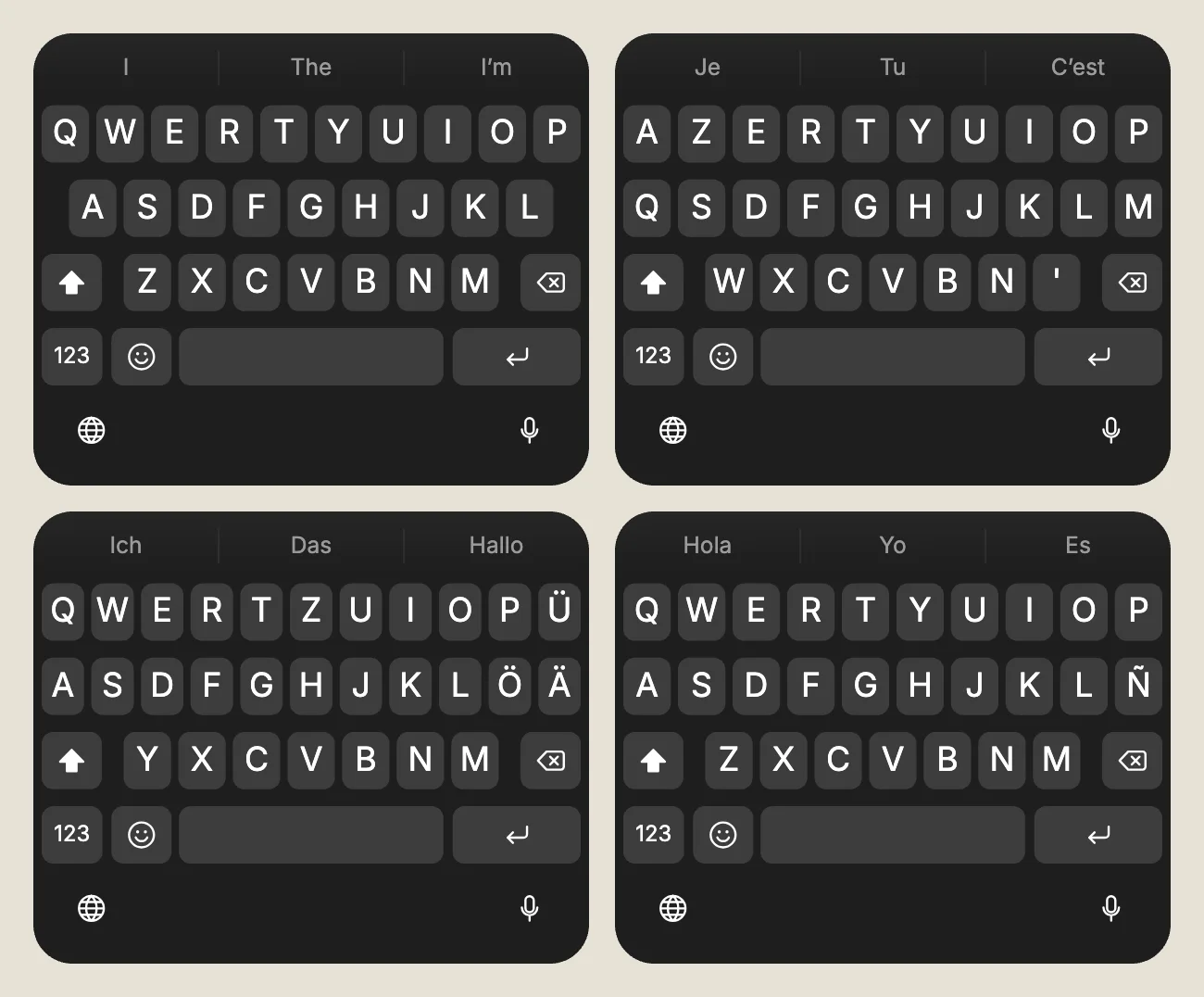
The keys follow the Chat language of your project: AZERTY in French, QWERTZ with Ü, Ö and Ä in German, Ñ in Spanish, QWERTY in English, Portuguese, Italian and Polish. An accented letter is typed on its own letter, as on the phone. The keyboard is dark in a dark chat and light in a light one, and always light in TikTok and Snapchat, as in those apps.
Turn it on in one tap
Open Settings: Keyboard sits right under App. Pick Show or Hide. Right under it, Speed sets how fast the thumb types. A blank chat starts with the keyboard hidden, and half of the templates start with it on.
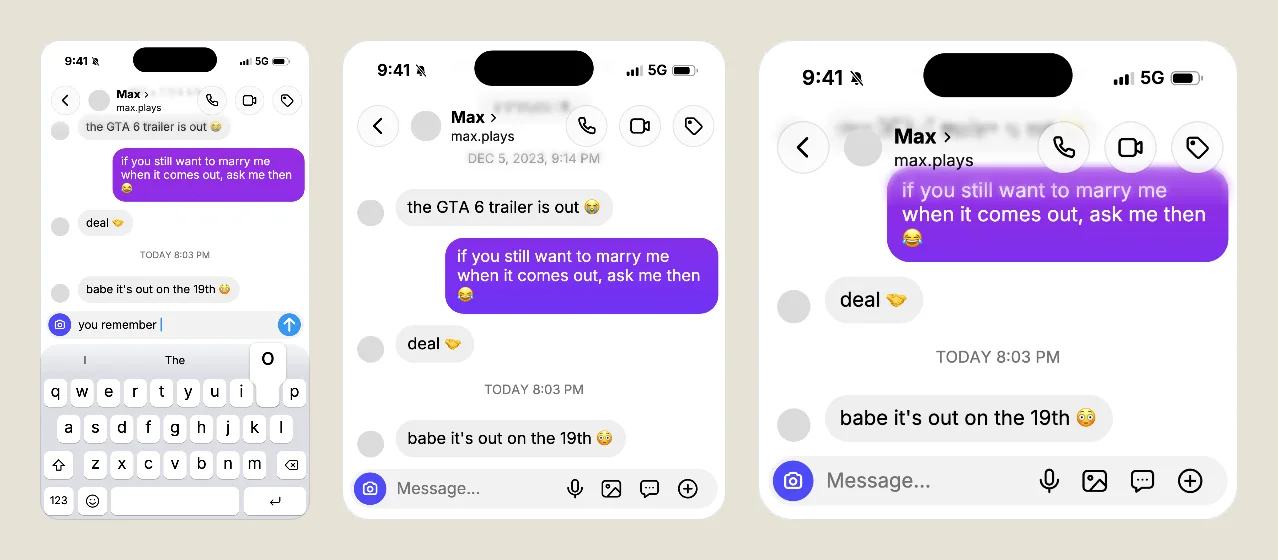
On a computer, the keyboard shows under the message field while you edit, so you see the chat as the video will. Click it to hide it, and Undo brings it back. On a phone, the editor leaves room for your own keyboard as you type, and the iPhone keyboard of the video shows in Play preview and in the export.
Story videos only
The keyboard takes the bottom of a tall screen, so it shows in Story 9:16 videos. Feed 4:5 and Square 1:1 keep the whole chat in view without it, and screenshots stay as they were.
The rules stay the same under Export: videos are free with a small watermark and a short end card, and the offers to remove it are on the pricing page. Want to try it now? Pick a chat on the templates page, turn the keyboard on and press Play preview.
Mockups, never deception
FakeDM.app is not affiliated with, endorsed or sponsored by Apple or by any of the apps it draws. Use it for fiction, skits, ads and mockups, never to impersonate anyone or to fake evidence. The rules are in the terms.