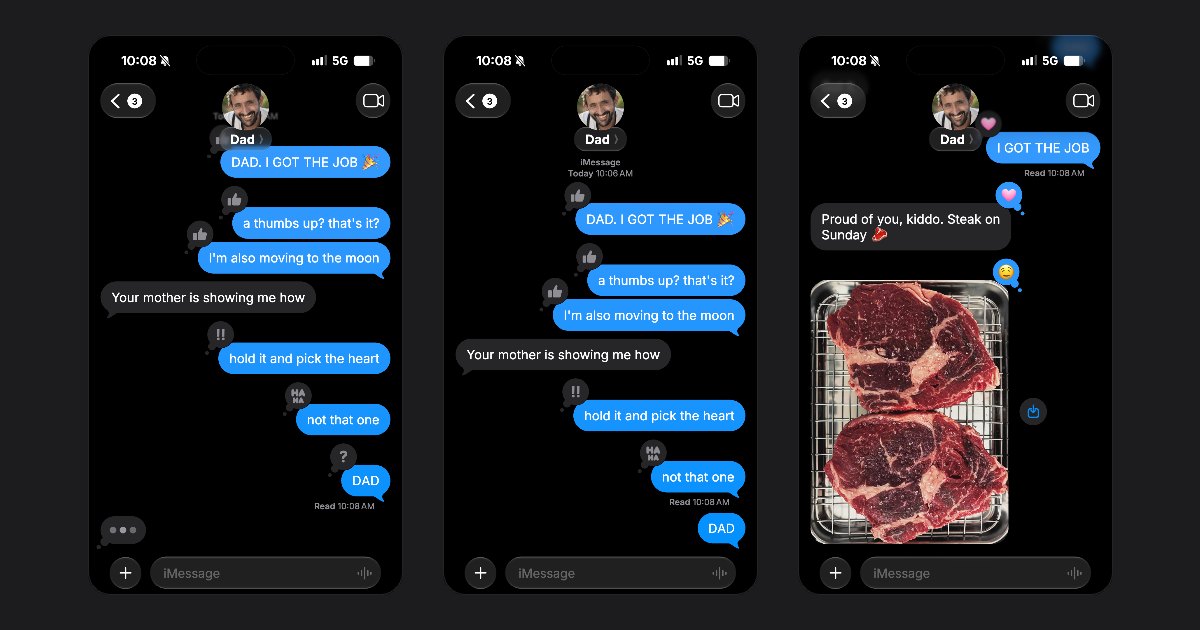
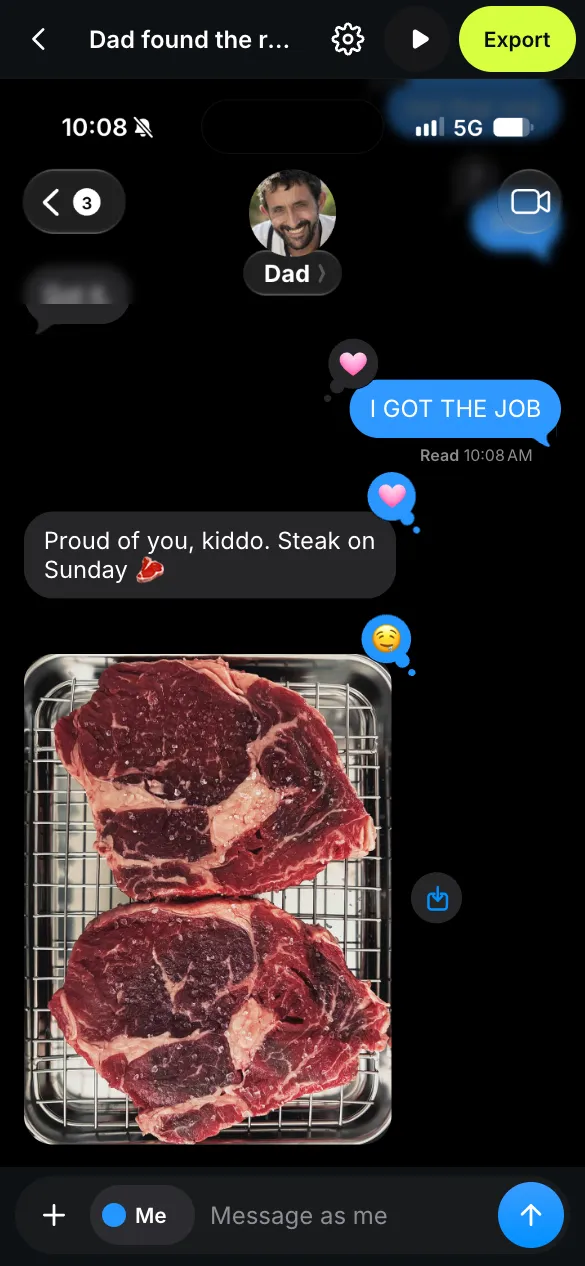
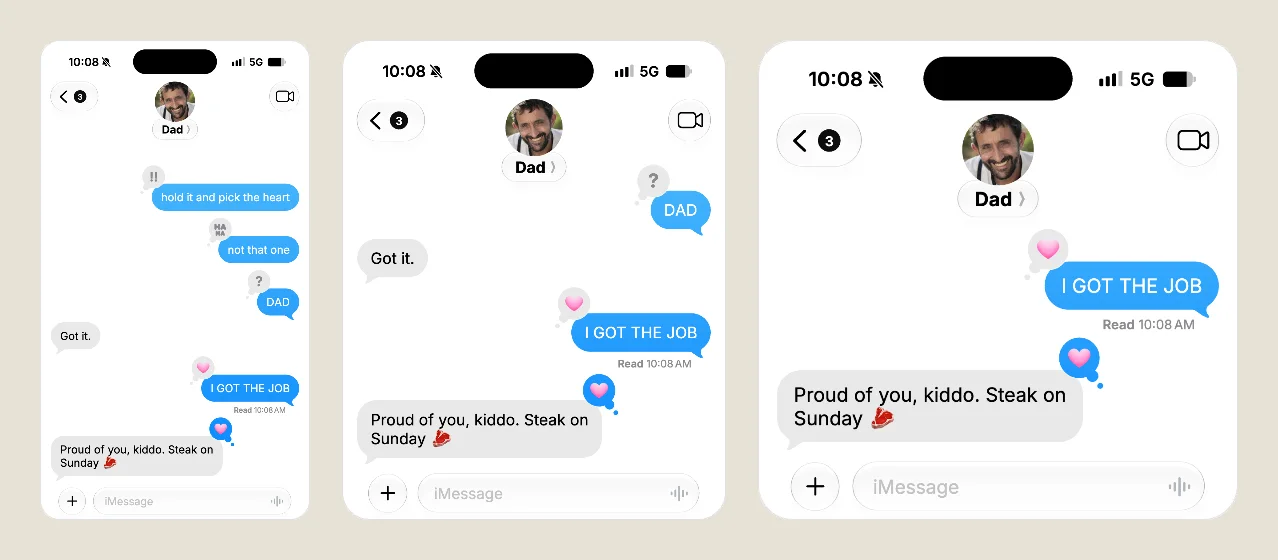
FakeDM.app started with Instagram DMs, then WhatsApp chats and TikTok DMs. As of today, it makes the two chats of the Messages app of an iPhone too: iMessages in blue bubbles, and text messages in green ones. The same editor, the same free rules.
Blue bubbles: iMessage
- Screenshots and videos. Save a PNG screenshot, or an MP4 video with sound where your bubbles rise from the message field and theirs pop in after the typing bubble.
- Delivered and Read. Delivered shows under your last message. Turn on Read receipts in Settings and it turns to Read with its time once they have read it.
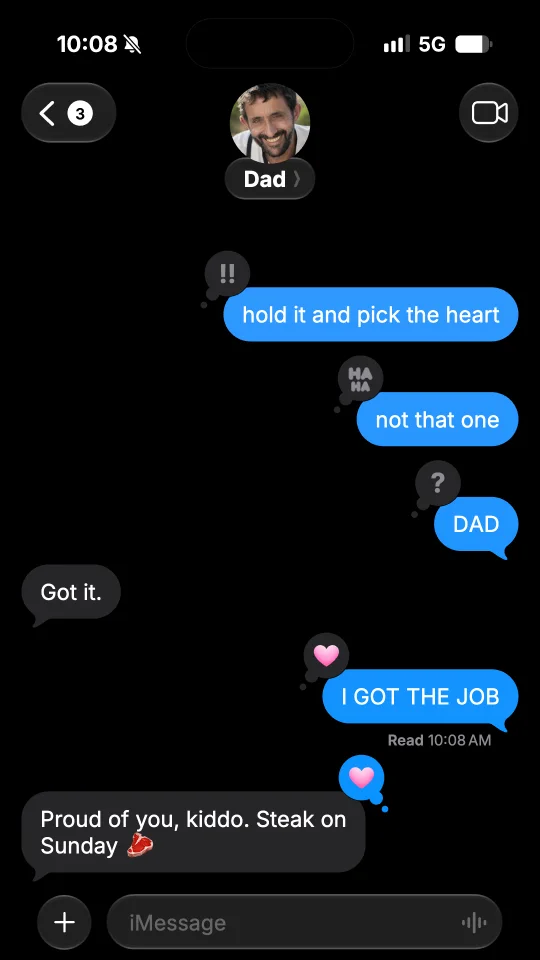
- Reactions. Tap a message, then React, and pick a heart, a thumbs up or down, HAHA, !!, ? or an emoji of your own, on their messages or yours.
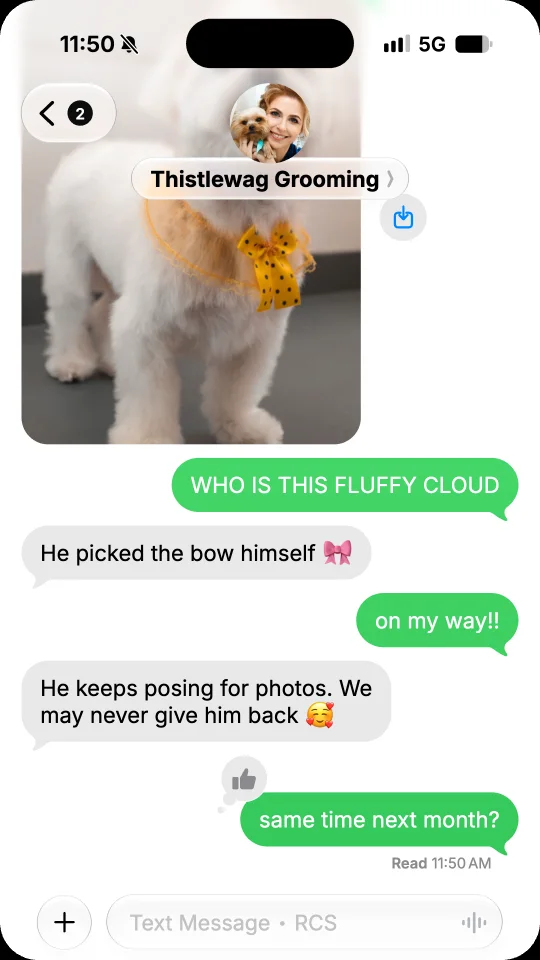
- Voice messages and photos. A waveform with its length and Keep under yours, and photos with round corners.
- The contact. Their photo, or their initials as the phone draws them. In Contact, a Shared location puts a city on a line under the name, and in Settings, Unread chats sets the count on the back button.
- Dark or light. Both modes, with times such as Today 9:41 AM between the messages.
Green bubbles: RCS or SMS
A text conversation has the same photos, voice messages and reactions, with your bubbles in green. A new chat is in RCS: the typing bubble shows while they write, and Delivered, then Read with its time, shows under your last text.
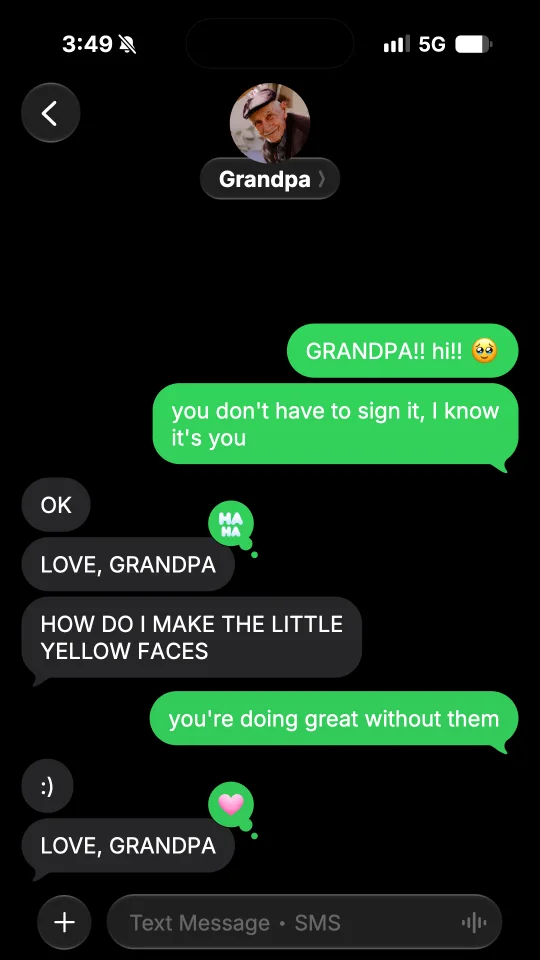
Turn RCS off in Settings for a plain SMS, with no typing bubble and nothing under your texts.
Start from a template
Ten chats are ready. On the iMessage templates page: Dad found the reactions, Look outside, Ticket queue, Don’t be mad and Don’t wait up. On the text message templates page: Why is it green?, Grandpa’s first text, Grooming day, Babysitter update and The umbrella. Tap Use this template, then change every name, word and photo. Rather start blank? Open the fake iMessage generator or the fake text message generator and tap Start free.
The same free rules
Screenshots are free, with no watermark. Videos are free too, with a small watermark and a short end card. Under Export, pick Story 9:16, Feed 4:5 or Square 1:1, each 1080 pixels wide. To remove the watermark, see the offers on the pricing page.
Already made a chat for Instagram, WhatsApp or TikTok? Open Settings, then App, and choose iMessage or SMS. Your messages stay as they are, and you can switch back at any time. A video unlocked without the watermark in one app counts as a new video in another, but a chat that goes from iMessage to SMS, or back, stays unlocked.
Mockups, never deception
FakeDM.app is not affiliated with, endorsed or sponsored by Apple or by any phone carrier, and it sends no text message. Use it for fiction, skits, ads and mockups, never to impersonate anyone or to fake evidence. The rules are in the terms.